
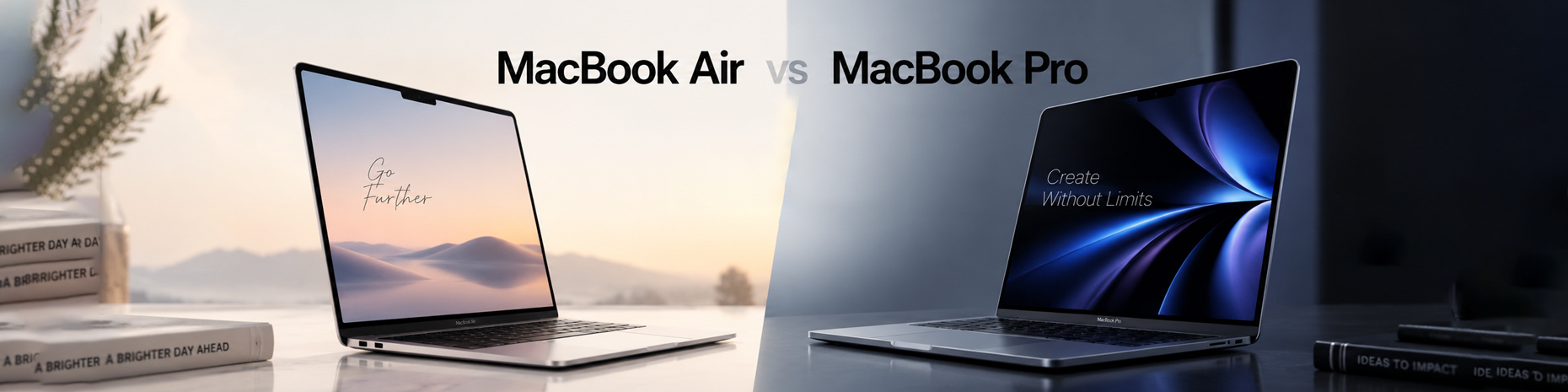

When you live in Santa Ana, picking the right laptop can make a huge difference in your daily routine. Whether you are taking classes over at Santa Ana College or working out of a creative space downtown, you need a machine that keeps up with you. Well, Apple makes some of the best laptops you can buy today, but choosing between a MacBook Air and a MacBook Pro is not always simple. They might look pretty similar on the outside at first glance, but you will definitely notice the big differences once you start using them every single day. So, if you are currently sitting there wondering which MacBook you should buy, breaking down the key details will help you make the smartest choice.
Air vs Pro
Look, the main difference between these two laptops comes down to what you actually plan to do with your computer.
The MacBook Air is built from the ground up to be thin, lightweight, and completely silent while handling your daily tasks easily. You can browse the web, stream movies, edit documents, and touch up photos without running into any issues at all.
On the flip side, the MacBook Pro is designed specifically for people who need serious power for long stretches of time. It is meant for heavier workloads like editing multi-track audio, compiling complex software, or rendering heavy 3D graphics projects.
Now, let us look at how the main features stack up when we make a MacBook Pro vs Air comparison.
Performance and Thermal Management
When you are comparing a MacBook Pro vs MacBook Air, raw performance is usually going to be your main deciding factor.
You see, both of these lines run on Apple Silicon chips, which means they are both fast and energy-efficient. However, the way these two laptops handle internal heat is completely different from one another.
- MacBook Air: The Air relies on a fanless internal setup. That means the laptop operates silently no matter how many apps you happen to have open. For basic everyday tasks, this system works like a charm. You know, if you push the processor with continuous heavy tasks, the system will slow itself down a bit to keep internal temperatures safe.
- Macbook Pro: The Pro comes equipped with active cooling fans inside the chassis. When you are running heavy applications for hours at a time, those fans turn on to keep everything running cool inside. This allows the processor to maintain its highest speeds continuously without needing to slow down at all.
If your work mostly involves spreadsheets, emails, and web applications, the fanless Air is honestly more than enough for your needs. But if you plan to do heavy computing every single day, the Pro is definitely built to handle that heat without losing performance.
Screen Quality and Display Experience
The screen is another area where you are going to notice a pretty massive gap between these two options.
The MacBook Air comes with a solid Liquid Retina display. It is sharp, colorful, and bright enough to read comfortably inside or out in shaded spots around Orange County. You see, for everyday things like writing papers, watching movies, and browsing, this screen looks really fantastic.
The MacBook Pro steps things up with a Liquid Retina XDR screen that uses Mini-LED technology. That means you get much deeper blacks, brighter highlights, and far better contrast overall. Plus, the Pro includes ProMotion technology, which automatically pushes the refresh rate up to 120Hz. You know, this high refresh rate makes scrolling through websites and editing high-resolution video feel incredibly smooth under your fingers.
If high color accuracy, strong HDR performance, and smooth visual motion matter to your work, the Pro screen gives you a clear advantage.
Portability and Daily Convenience
When you are carrying a laptop around town all day, the overall size and weight are going to matter quite a bit.
The 13-inch and 15-inch MacBook Air models are designed to be as thin and light as possible. You can easily slide a 13-inch Air right into a small backpack or tote bag without feeling weighed down. Because of that easy portability, they remains a top choice for local students and busy commuters.
The MacBook Pro models come in 14-inch and 16-inch sizes, making them a bit thicker and noticeably heavier to hold. That extra size is necessary to fit the cooling system and larger batteries inside the frame. While you can still carry it around town easily, you will definitely feel that extra weight in your bag after a long day.
Port selection is another practical detail you should keep in mind:
- MacBook Air:You get two Thunderbolt ports, a MagSafe charging port, and a standard headphone jack. You will probably need an adapter or a small dock if you regularly use SD cards or HDMI cables.
- Macbook Pro:You get a built-in SDXC card slot, an HDMI port, and an extra Thunderbolt port. This setup lets you connect directly to external monitors, TV displays, or camera storage without hunting for extra dongles.
Battery Life Expectations
Well, the battery efficiency across both of these product lines is incredible compared to older laptop models.
The MacBook Air easily gives you full-day battery life for standard office work, research, and general media playback. You can comfortably leave your power cable at home when heading out to class or setting up at a cafe for the afternoon.
The MacBook Pro holds a physically larger battery inside its thicker frame. Under normal usage conditions, it often lasts even longer than the Air model does. You see, even when you run heavier programs, the laptop manages its power well, so you do not feel stuck next to a wall outlet.
Finding the Best MacBook for Students and Professionals
Choosing between these two solid options usually comes down to matching the machine with your actual daily routine.
For most students, casual users, and typical office workers, the MacBook Air offers the best overall value for their money. It is fast, lightweight, totally quiet, and handles papers, web research, video calls, and daily tasks without any trouble.
For professional creators, software developers, video editors, and heavy power users, the MacBook Pro is built specifically to support your daily workflow. The extra built-in ports, active fans, brighter screen, and extra processing power make it a dependable workhorse for heavy tasks.
How to Get Your Next MacBook in Santa Ana
Upgrading your personal setup does not have to be confusing or crazy expensive. If you are shopping around to buy a new or pre-owned Apple laptop locally, looking at nearby store inventory in Orange County can save you time and money.
If you want to trade in your current device or browse options nearby, visit Sell My Phone to explore local deals, sell your old gear, or upgrade to the right MacBook for your needs. You can also check our page on how to Buy a Macbook in Santa Ana,CA, to find the right laptop for your setup.
Taking a little time to look at your actual daily needs ensures you spend your money on the exact features that make your day easier.
FAQs
Yes, it handles essays and web research with ease. You can also stream videos or edit photos without issues. Well, the all-day battery life is a huge plus when carrying it around campus.
The Pro actually uses internal fans to stay cool. When you push the machine hard, those fans kick in right away. You see, this prevents the processor from slowing down under heavy workloads.
The Pro uses a brighter Mini-LED screen with rich contrast. It also features a 120Hz refresh rate. Look, this simply means video editing and everyday scrolling feel much smoother on your eyes.
Both models easily last through a standard workday. However, the Pro usually lasts longer because it houses a physically larger battery. You can leave your charger at home without worrying about it.
You can bring your old device to Sell My Phone in Santa Ana. Trading in your gear gives you quick value toward your upgrade. It keeps the process simple and fast.